
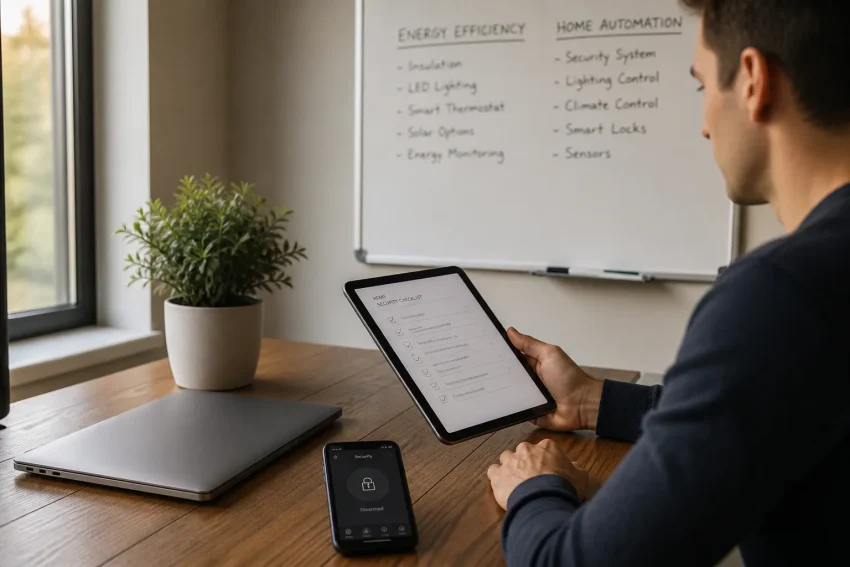
Most security breaches don’t happen because of sophisticated hackers, they happen because of overlooked gaps you can spot in ten minutes. Whether you’re managing a smart home system or overseeing commercial properties, vulnerability often hides in plain sight: outdated firmware, weak access protocols, or energy systems that weren’t built with modern threats in mind.
Lifee’s AI-powered automation solutions are designed Finally these gaps, integrating intelligent security layers into energy efficiency and home automation from the ground up. This checklist walks you through ten critical checkpoints that reveal where your system stands today, and exactly what to tighten before someone else finds the weak link.
Understanding Account Security in the Age of Smart Homes
Account security in 2026 extends beyond protecting a username and password. A connected home may link cloud accounts, mobile applications, routers, thermostats, lighting controls, energy meters, access systems, and automated routines. Each connection creates another identity, permission, or software dependency that must be managed.
The scale of the problem is visible in recent breach research. Verizon’s 2025 Data Breach Investigations Report analyzed more than 22,000 security incidents and 12,195 confirmed breaches. Compromised credentials were an initial access vector in 22% of breaches, while exploitation of vulnerabilities accounted for 20%. Human involvement remained present in roughly 60% of confirmed breaches, showing why secure technology and informed users must work together.
- Protect identities: Secure the main account, administrator profiles, shared household accounts, device credentials, recovery email addresses, and mobile applications. A weak recovery channel can undermine an otherwise strong login.
- Protect devices: Treat every connected thermostat, camera, hub, meter, and controller as part of the security boundary. Firmware, default credentials, exposed services, and vendor support policies all affect the risk.
- Protect automation: Review what an account can do, not only what information it can view. A compromised user may be able to change schedules, disable alerts, alter energy settings, or unlock physical access.
The Role of AI and IoT in Modern Account Security
AI-powered automation and IoT devices make routines more convenient, but they also create relationships between accounts, sensors, services, and physical actions. If a connected lighting controller or automation hub is compromised, an attacker may learn occupancy patterns, change routines, or use the device as a stepping stone toward other systems.
AI introduces an additional governance question: which data does the system process, where is it stored, and which integrations can act on its recommendations? Lifee’s intelligent automation approach is most effective when security requirements are considered alongside energy efficiency, access control, data minimization, and human oversight during project design.
Why Energy Automation Systems Need Strong Security
Energy platforms can reveal when a property is occupied, which rooms are used, and how residents or businesses operate. They may also control heating, cooling, lighting, alarms, or other equipment. A compromised account could therefore affect privacy, comfort, operating costs, and physical safety at the same time.
For commercial properties and real estate professionals, the risk extends to tenants, contractors, maintenance providers, and building-management platforms. A secure deployment should document who can access each system, which third parties are connected, how access is revoked, and how incidents are reported.
Even if you do not consider yourself a likely target, automated scanning makes exposed systems easy to discover. Basic security hygiene reduces the number of opportunities an attacker can exploit.
What Recent Breach Data Says About Account Risk
Recent evidence supports a practical focus on identity, patching, and human behavior. Credential attacks remain attractive because stolen passwords can be reused at scale, while vulnerability exploitation is increasingly important when internet-facing systems are left unpatched.
- 22% of breaches involved compromised credentials: A stolen password can provide direct access to a cloud dashboard or serve as the first step in a larger attack. Unique passwords and phishing-resistant authentication reduce the value of leaked credentials.
- 20% of breaches began with vulnerability exploitation: Delayed updates leave known weaknesses available to automated attackers. Firmware inventories and a defined patching routine are particularly important for devices that remain connected for years.
- About 60% of breaches involved a human element: Phishing, social engineering, misconfiguration, and accidental disclosure can bypass technical controls. Every person with access to an automation system needs clear rules for verification and reporting.
- Credential stuffing affected a median 19% of daily authentication attempts in analyzed single sign-on logs: The figure reached 25% in enterprise-sized organizations and 12% in small businesses. Reusing a password across a home automation account and another service gives automated login attempts a greater chance of success.
- Third-party involvement doubled to 30% of breaches in Verizon’s 2025 research: A supplier, installer, property manager, or software integration can extend the security boundary beyond the property owner. Vendor access should be limited, monitored, time-bound, and removed when work ends.
| Risk indicator | Recent finding | Practical response |
|---|---|---|
| Compromised credentials | 22% of confirmed breaches | Use unique passwords, a password manager, and multifactor authentication |
| Exploited vulnerabilities | 20% of confirmed breaches | Maintain an asset inventory and install security updates promptly |
| Human involvement | Approximately 60% of confirmed breaches | Train users and verify urgent requests through a separate channel |
| Third-party involvement | 30% of breaches in the 2025 research | Review integrations and supplier permissions regularly |
Top Threats and Vulnerabilities: What You Need to Know
Account compromise usually follows a small number of repeatable paths. Understanding those paths makes it easier to decide which controls deserve attention first.
Phishing, Social Engineering, and Credential Theft
Phishing messages may imitate a supplier, property manager, energy provider, or automation platform. They commonly create urgency by claiming that an account will be suspended, a payment failed, or a security update is required. AI-assisted writing can make these messages more polished, but the safest response remains the same: do not use the message link, open the service through a known application or bookmarked address, and verify unusual requests independently.
When credentials may have been exposed, change the password from a trusted device, revoke active sessions, review recovery methods, inspect account activity, and report the message. If the same password was reused elsewhere, change it on every affected service.
Weak Passwords and Poor Password Management
Short or reused passwords allow one unrelated breach to become a smart-home breach. A password manager can generate a different long password for each service, while a memorable passphrase can be used for the manager itself when supported by the provider’s security guidance.
Do not store the only recovery method inside the account being protected. Keep recovery codes in a secure offline location, protect the primary email account with stronger authentication, and remove old recovery addresses and phone numbers.
IoT and AI-Specific Risks
Connected devices may remain in service long after their security support ends. Default credentials, outdated firmware, unnecessary internet exposure, insecure companion applications, and poorly controlled integrations can turn a small device into a route toward a broader compromise.
AI systems also require attention to data access and actions. Restrict the information available to an automation service, separate monitoring from control where possible, and require confirmation for high-impact actions such as unlocking doors, changing administrator permissions, or disabling alarms.
Do not assume a device is secure because it is new or because it comes from a familiar brand. Check its update policy, change its initial credentials, disable unused features, and place it on a separate network when practical.
The 10-Point Checklist: Secure Your Accounts Now
Work through the checklist in order, beginning with the identity that controls the greatest number of devices. For Lifee projects, the same method can be applied during an intelligent energy audit or custom automation design: map the system, identify control points, reduce unnecessary access, and establish a maintenance routine.
- 1. Use strong, unique passwords: Give every cloud account, device portal, administrator profile, and mobile application its own password. Reuse creates a chain reaction when another service is breached. Generate passwords with a reputable manager, and change them immediately if a provider reports exposure.
- 2. Enable multifactor authentication: Turn on multifactor authentication for the primary email account, automation platform, router, property-management tools, and administrator accounts. Prefer passkeys or authenticator-based methods over SMS when available, because phone-number takeover and message interception can weaken text-message verification. Store recovery codes securely and test account recovery before an emergency.
- 3. Update devices and software: Create an inventory containing each device, its owner, firmware version, update method, and end-of-support date. Enable automatic updates when the vendor provides a reliable process, then verify that updates actually installed. Replace devices that no longer receive security fixes, especially those connected directly to the internet.
- 4. Review account activity logs: Inspect login history, active sessions, administrator changes, automation edits, and connected applications. An unfamiliar location is not always proof of compromise, but an unexpected device, time, password reset, or new integration deserves immediate investigation. Revoke unknown sessions and contact the provider through its official support channel.
- 5. Replace default IoT credentials: Change factory usernames and passwords before connecting a device to the production network. Disable remote administration, universal plug-and-play, and other features that are not required. If the device cannot change its default credentials or receive updates, treat that limitation as a procurement risk.
- 6. Limit permissions and separate roles: Use administrator privileges only for configuration and give residents, staff, contractors, and tenants the minimum access required for their tasks. Separate read-only energy reporting from control permissions where possible. Remove former employees, old phones, unused integrations, and temporary supplier accounts as soon as they are no longer needed.
- 7. Back up critical data and configurations: Preserve encrypted copies of automation settings, device inventories, network configurations, access lists, and important logs. Keep at least one backup disconnected from the system so ransomware or a compromised administrator cannot alter every copy. Test restoration periodically, because an untested backup may not contain the information needed to rebuild the environment.
- 8. Educate every user: Explain how to identify urgent requests, fake login pages, suspicious QR codes, unexpected support calls, and unusual automation behavior. Give users a simple reporting route that does not punish them for reporting mistakes quickly. For businesses and property managers, repeat training when staff, tenants, contractors, or service providers change.
- 9. Use trusted networks: Secure the router with a unique administrator password, current firmware, and strong wireless encryption. Place IoT devices on a separate network or guest segment when the design supports it, while preserving only the connections required for automation. Avoid managing sensitive accounts from public Wi-Fi, and use a trusted encrypted remote-access method rather than exposing administration interfaces directly to the internet.
- 10. Monitor emerging threats and vendor advisories: Subscribe to security notices from device manufacturers, national cybersecurity agencies, and the services that operate your automation platform. Record the action required for each advisory and assign responsibility for completing it. Lifee can incorporate security maintenance considerations into custom energy-efficiency and automation projects so that predictive management does not become a set-and-forget installation.
Run the first review in one focused session, then repeat a shorter review monthly. A quarterly deeper audit should include every device, integration, user, permission, firmware version, recovery method, and vendor relationship.
The Missing Layer: Recovery, Privacy, and Third-Party Control
A strong login is only one part of account security. Resilience also depends on what happens after a suspicious event, how much data the system collects, and whether an outside provider still has access.
Prepare an incident-response route before an incident
Write down the order of actions for a suspected compromise: disconnect the affected device if safe, preserve relevant evidence, change credentials from a clean device, revoke sessions and tokens, contact the provider, and restore trusted configurations. For systems controlling doors, alarms, heating, or commercial equipment, define a manual fallback so safety does not depend on cloud availability.
Reduce data exposure in automation routines
Energy schedules and occupancy patterns can disclose sensitive information even when no password is stolen. Collect only the data needed for the service, restrict dashboards to appropriate users, review retention settings, and avoid sharing detailed household or tenant information with unnecessary integrations.
Control suppliers, installers, and integrations
Third-party access should have a named owner, a business reason, an expiration date, and an audit trail. Use separate accounts rather than sharing administrator credentials, require multifactor authentication for vendors, and remove access after installation or maintenance. This is particularly important for commercial properties where several systems may exchange data.
| Control area | Minimum check | Stronger practice |
|---|---|---|
| Recovery | Keep current recovery details and backup codes | Test restoration and document an incident-response procedure |
| Privacy | Review collected data and dashboard visibility | Minimize retention and separate personal, tenant, and operational data |
| Third parties | List all suppliers and connected applications | Use time-limited, least-privilege access with regular reviews |
| Physical safety | Identify which digital actions affect physical systems | Require confirmation and maintain manual fallback procedures |
Case Studies: Lessons from Real-World Account Breaches
Illustrative scenarios show how ordinary weaknesses can produce consequences beyond data loss. They also demonstrate why prevention and response need to be designed together.
Smart thermostat compromise: the cost of default credentials
A thermostat using unchanged factory credentials could be discovered by automated scanning and manipulated remotely. The visible result might be unusual temperature changes or higher energy consumption, but the wider concern is whether the same account or network provides access to other devices.
The corrective sequence is straightforward: replace default credentials, update firmware, disable unnecessary remote access, review logs, revoke unknown sessions, inspect connected integrations, and isolate the device where practical. An intelligent energy-management solution such as Lifee’s should be assessed not only for efficiency gains but also for ownership, access, update, and recovery controls.
Phishing against a home automation account
A message claiming that an automation service requires immediate verification can direct a user to a counterfeit login page. If the credentials are entered, the attacker may attempt the same password on email, cloud storage, or property-management systems.
The safe response is to access the provider through its known application or saved address, verify the request independently, and report the message. If a user has already entered credentials, the account password and every reused password should be changed, active sessions revoked, multifactor authentication reset if necessary, and account activity reviewed.
Do not delete suspicious messages before recording the sender, destination, time, and affected account. That information can help the provider investigate and can support a wider incident review.
Ongoing Security: Building a Resilient Digital Environment
Account security is a maintenance process. The most useful routine connects daily awareness with scheduled technical reviews, ensuring that new devices, new users, new vendors, and new automation rules do not quietly expand the attack surface.
- Monthly: Review administrator accounts, active sessions, new integrations, failed-login alerts, recovery details, and unusual automation changes. Confirm that former users and temporary contractors no longer have access.
- Quarterly: Reconcile the device inventory with the physical property, check firmware and support status, review network segmentation, test backups, and inspect vendor permissions. For Lifee deployments, include security findings in the same review as energy performance and automation behavior.
- After every change: Apply a mini security review when adding a device, changing a router, granting supplier access, connecting an AI service, or modifying a routine that affects physical safety. Record who approved the change and how it can be reversed.
- Annually: Reassess the design, data flows, supplier contracts, incident contacts, and replacement plan for unsupported equipment. Businesses and property professionals should align the review with risk assessments and relevant regulatory obligations.
Assign a named owner for security maintenance. Shared responsibility often becomes no responsibility, while a clear owner can coordinate updates, permissions, incident response, and communication with technology providers.
Frequently Asked Questions About Account Security
Is multifactor authentication enough to secure a smart-home account?
No. Multifactor authentication substantially reduces the risk of password-only compromise, but it does not replace firmware updates, least-privilege access, secure networks, vendor review, or monitoring. Protect the email and recovery accounts that can reset the automation account as carefully as the automation account itself.
Should smart-home devices be placed on a separate Wi-Fi network?
Network separation can limit the damage if an IoT device is compromised, but it must be configured correctly. Confirm that required automation services still work, prevent unnecessary access between networks, and avoid exposing device administration directly to the public internet.
How often should an account-security review be performed?
Review high-risk accounts and permissions monthly, perform a broader device and configuration audit quarterly, and reassess the design after major changes. A suspected compromise requires immediate action rather than waiting for the next scheduled review.
What should a business or property manager do when a contractor leaves?
Remove the contractor’s account, revoke sessions and tokens, rotate shared or exposed credentials, review recent activity, and confirm that connected applications no longer retain access. Use individual, time-limited accounts in the future so access can be withdrawn without disrupting other users.
Keeping accounts and connected devices secure requires more than a single password change. Start with the identity that controls the most important systems, complete the ten checks, document recovery steps, and make security part of every future automation and energy-efficiency decision. Lifee’s intelligent, custom-designed approach can help align secure access, data-aware automation, predictive energy management, and ongoing system maintenance for homes, businesses, and real estate environments.